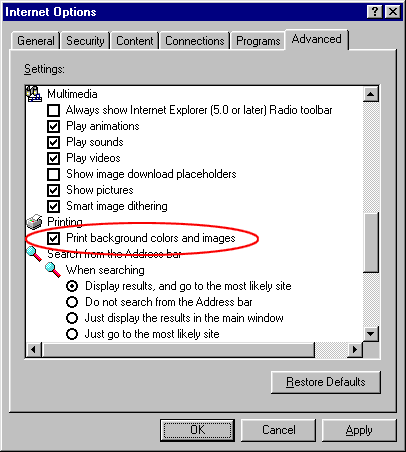
PRINTING HELP Problems have been recorded to date with margin settings, page margins (IE 5) and printer margins. This service has preset its printing margins for A4 printing in IE 5.00. In IE 5.00, your page margins should be set at left - 0.3", top - 0.3", Right - 0.2", Bottom - 0.75". To print each meeting, you will need to click your browser PRINT button after clicking on one of the print links provided (refer [Print]). Graphical (inkjet and laser) printer recommended. We suggest that you do not print documents until they are in "Final" status (many changes occur in Pre-Scratching phase). The width of the page may be manually
changed by editing the Address (URL) line in your browser prior to
printing (after clicking on a link above). After changing the value, you will need to
hit the return key to refresh
the page. The change needs to be made on the WD
value at the end of the line. For example, to change the width
from 1030 to 850 pixels the Address line should be changed as follows; This area uses the latest in framing and has been tested to work with Netscape V6.2.1 and IE 5.00. Netscape required a manual width set to 850. Please advise us of any problems and we will try to accommodate your needs in future versions. |